Peace of Mind & Independence is One Call Away
(888) 493-1475 - Click to Call get a FREE MONTH of service.
To choose a medical alert system, start with the person’s daily routine and where access to help is needed. Then compare device type, wearability, fall detection, GPS, professional monitoring, connection requirements, charging, total cost, and provider reliability.
The right system is not necessarily the one with the most features. It is the one the user is comfortable wearing or carrying and can operate when help is needed. If you are choosing for a parent or loved one, include them in the decision.
Falls are one reason this decision matters. According to the CDC, more than 14 million adults age 65 and older, about 1 in 4, report falling each year, and falls are the leading cause of injury for adults 65 and older. A medical alert system does not prevent falls, but it can provide a direct way to call for help after a fall or other emergency.
Which Type of Medical Alert System Is Right for You?
Mostly at home? An in-home medical alert system with a base station and wearable help button is usually the most practical place to start.
Frequently away from home? Start with a mobile medical alert device that uses cellular service and offers GPS location capabilities.
Already comfortable wearing a watch? A monitored medical alert smartwatch may fit the user’s existing routine better than a separate pendant or mobile unit.
Compare LifeStation medical alert devices
Medical Alert System Buying Checklist
- Where does the user spend most of the day: at home, away from home, or both?
- Which format will the user consistently wear or carry: pendant, wrist button, mobile device, or smartwatch?
- Is automatic fall detection important?
- Is GPS location needed outside the home?
- Who answers an alert, and is professional monitoring available 24/7?
- Can the user press the button, hear the speaker, and understand the Care Specialist?
- Does the system use cellular service, a landline, Wi-Fi, or a combination?
- How often must the device be charged, and is backup power available?
- What is the complete cost, including optional features and possible fees?
- Are the provider’s response procedures, customer support, contracts, cancellation terms, and replacement policies clear?
Start With the User’s Daily Routine
The first decision is where the system must work. An in-home system may fit someone who spends most of the day in and around the house. A mobile system may be a better match for someone who drives, walks, shops, attends appointments, visits family, or travels independently.
For an in-home system, consider every area the user visits, including the bathroom, bedroom, basement, garage, yard, and porch. Ask how far the wearable button can operate from the base station and test it throughout the home after setup.
For mobile protection, confirm cellular coverage at home and in places the user visits regularly. GPS can help locate a compatible mobile device, but location capabilities depend on the device, available signals, and network coverage.
Compare in-home and mobile medical alert systems
Choose a Device the Person Will Wear
A personal emergency response system (PERS) is useful only when the help button is within reach. Ask the intended user which format feels most comfortable and familiar: a pendant, wrist button, compact mobile unit, or smartwatch.
Compare the device’s weight, button size, attachment options, speaker volume, and water-resistance rating. Check whether the user can press the button and understand the voice prompts without assistance. A water-resistant or waterproof wearable may be important for shower use, but shoppers should confirm the rating and care instructions for the specific device.
If hearing, vision, dexterity, memory, or another health concern may affect use, test the device with the intended user. A healthcare professional may also help identify individual accessibility or safety needs.
Can a Phone or Smartwatch Replace a Medical Alert System?
Sometimes, but only if it fits the user’s abilities and routine. A phone is useful only when it is charged, within reach, and easy for the user to unlock and operate during an emergency. A standard smartwatch may offer emergency calling or fall-related features, but those features vary by model, cellular plan, setup, and whether the watch depends on a paired phone.
When comparing a phone or consumer smartwatch with a dedicated medical alert system, check whether one action can connect the user to a trained 24/7 monitoring center, whether two-way communication works without a nearby phone, whether GPS or fall detection is available, how often the device must be charged, and whether the user will actually wear or carry it. A monitored medical alert smartwatch may be a better fit for someone who already prefers wearing a watch but still wants access to a medical alert monitoring service.
Decide Whether Fall Detection Is Appropriate
Automatic fall detection can send an alert when a compatible device detects movement associated with a fall. It may provide another way to request help when the user cannot reach or press the button.
Fall detection does not detect every fall and may occasionally trigger when no fall occurred. Ask whether it is included or optional, which device must be worn for it to work, and what the monitoring center does when the user does not respond. Users should always press the help button when they are able.
Learn how automatic fall detection works
Determine Whether GPS and Caregiver Features Are Needed
GPS is most useful for someone who needs protection away from home. A compatible mobile medical alert device can provide location information to the monitoring center when an alert occurs, subject to device and network capabilities.
Ask how the device determines location and whether a caregiver app or portal can show location, battery status, or alerts. Confirm who can access that information, how permissions are controlled, and whether the user is comfortable with the privacy settings. Someone who stays primarily at home may not need GPS, while an active user may consider it essential.
Compare Monitoring and Emergency Response
Professionally monitored systems connect an alert to a trained monitoring center. Unmonitored products may contact preset numbers or rely on another response method. Before choosing, make sure everyone understands who receives the alert and who is responsible for arranging help.
Compare whether monitoring is available 24/7, where monitoring centers are located, how alerts are handled when the user cannot respond, and how the provider measures its published response time. Published response times are not necessarily calculated the same way, so compare the definition as well as the number. Confirm whether the response plan can specify family members, caregivers, neighbors, emergency contacts, or local emergency services based on the situation.
LifeStation reports an average response time of under 15 seconds. When an alert reaches LifeStation, a Care Specialist can communicate through the system and follow the user’s response plan.
LifeStation’s current site states that its 24/7 U.S.-based monitoring centers are located in New Jersey and Texas and describes its monitoring operation as UL-listed, CSAA Five Diamond, and TMA award-winning. These are examples of provider credentials shoppers can verify when comparing monitoring services.
Also plan for access to the home. Ask whether a trusted contact with a key should be included in the response plan or whether a lockbox is available so emergency responders can enter when the user cannot open the door.
See how LifeStation medical alert systems work
Check Ease of Use, Setup, and Testing
The system should be simple to use under stress. Look for a clearly marked help button, understandable prompts, two-way communication, and a speaker the user can hear.
Before relying on a system, learn how to set it up, place a test call, cancel an accidental alert, update emergency contacts, and reach technical support. Follow the provider’s recommended testing schedule. For an in-home system, test the wearable from the rooms and outdoor areas where it is expected to work. For a mobile system, test it in locations the user visits often.
If two people in the same household need protection, ask whether another wearable can be added to the account and whether that changes the monthly price.
Review Connectivity, Battery, and Backup Power
Confirm what the system requires before ordering. Depending on the product, an in-home system may use cellular service or a traditional landline. Some systems do not require home Wi-Fi, while mobile devices generally depend on compatible cellular coverage.
Ask how often a mobile device or smartwatch needs charging, how low-battery alerts work, and whether the charging routine fits the user’s habits. For an in-home base station, ask how long backup power lasts during an outage and what notification is provided when power is lost.
The user and at least one caregiver should know what each status light, sound, or battery message means.
Compare the Complete Cost and Terms
Compare the full cost rather than the monthly price alone. Ask what the plan includes and whether fall detection, additional buttons, accessories, equipment protection, activation, replacement, or other services change the total.
Review billing frequency, contract length, cancellation requirements, return deadlines, refund conditions, and responsibility for lost or damaged equipment. Coverage or discounts may vary by insurance plan or program, so confirm eligibility directly with the plan and LifeStation rather than assuming the service is covered.
Verify the Provider’s Reliability
A medical alert system depends on the service behind the device. Compare how long the provider has been in business, whether monitoring is available 24/7, where and how alerts are handled, and what happens if the user cannot respond.
Review customer support availability, equipment replacement policies, cancellation terms, and relevant monitoring-center credentials. Independent reviews can also provide insight into customer experiences, but confirm important pricing, features, and service details directly with the provider before ordering.
Which LifeStation Medical Alert System Fits?
LifeStation offers in-home, mobile, smartwatch, and Spanish-language options. The best match depends on where the user needs protection and which device they will use consistently.
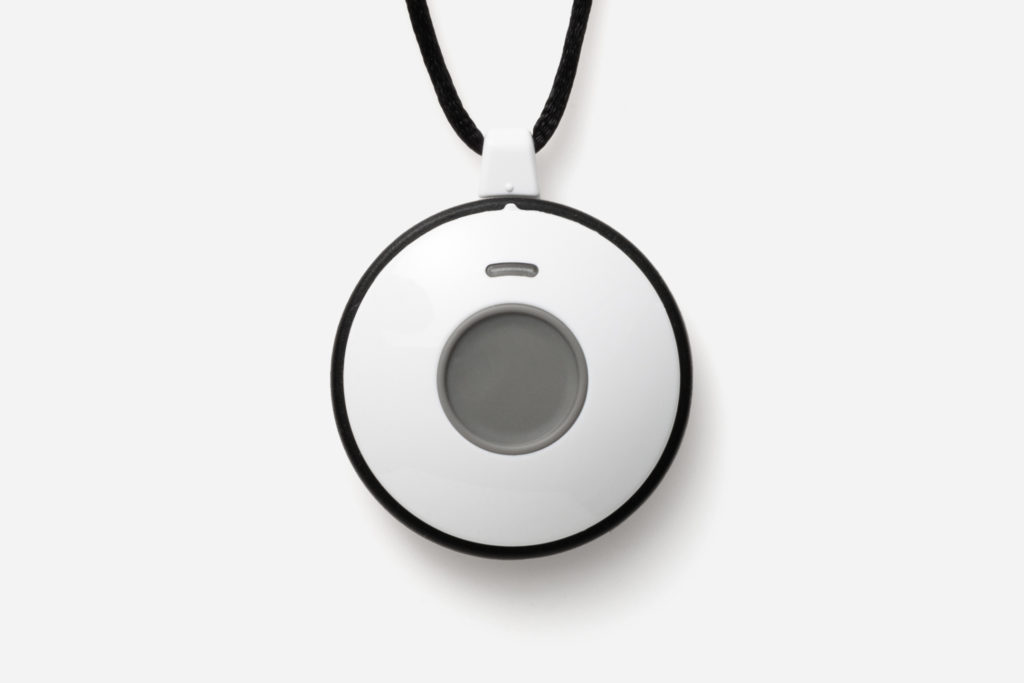
Sidekick Home
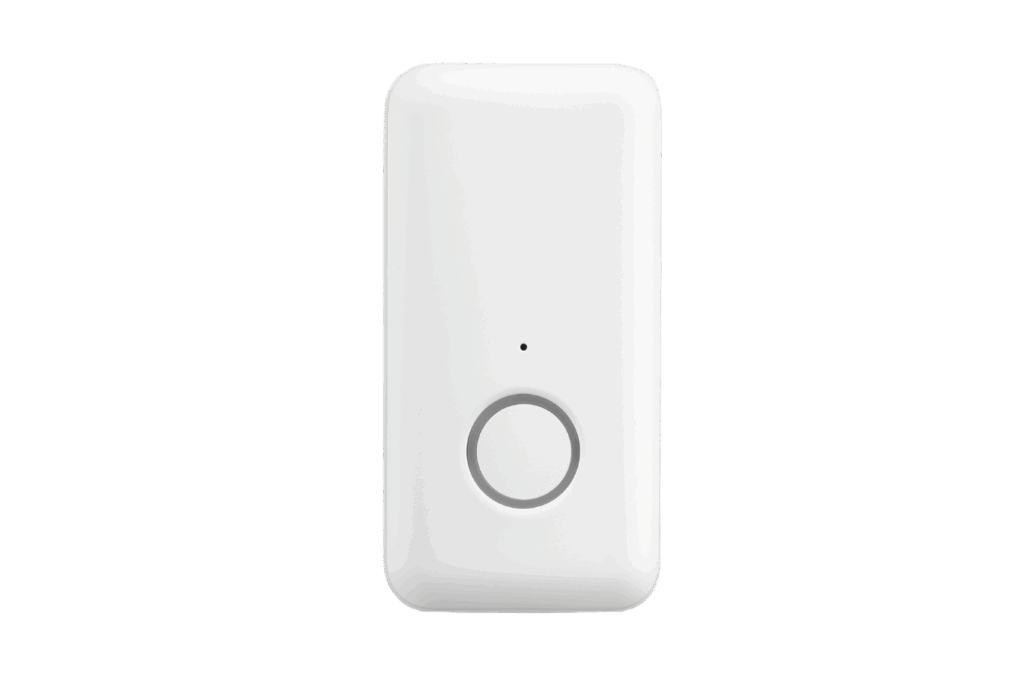
Sidekick Home is designed for protection in and around the home. Its cellular base station does not require a landline or home Wi-Fi. As of April 2026, pricing starts at $38.95 per month.
Pearl
Pearl is a compact mobile medical alert device with cellular connectivity and GPS location capabilities for use at home and away. As of April 2026, pricing starts at $42.95 per month.
Pearl Spanish
Pearl Spanish provides a Spanish-language mobile medical alert option for users who prefer assistance in Spanish. As of April 2026, pricing starts at $42.95 per month.
Sidekick Smart
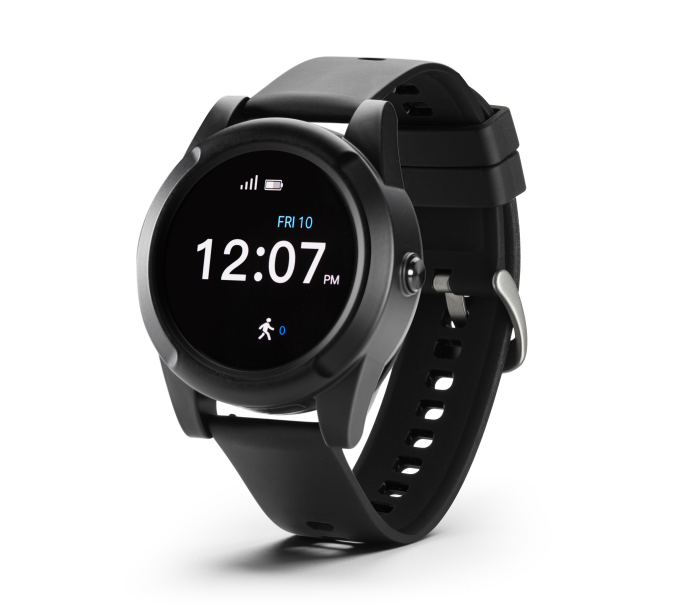
Sidekick Smart is a monitored medical alert smartwatch with emergency communication, GPS, fall-detection capabilities, heart-rate information, and step tracking. As of April 2026, pricing starts at $42.95 per month.
Prices, features, and plan terms can change. Confirm current information before ordering. LifeStation offers a 30-day money-back guarantee.
Compare LifeStation medical alert devices or call (800) 554-4600
Frequently Asked Questions
What is the most important factor when choosing a medical alert system?
The most important factor is whether the system fits the user’s daily routine and will be worn or carried consistently. Start with where protection is needed, then evaluate monitoring, usability, connectivity, and complete cost.
Is an in-home or mobile medical alert system better?
Neither type is universally better. An in-home system may fit someone who is usually at home, while a mobile system may suit someone who regularly leaves home and needs cellular and GPS capabilities.
Do I need automatic fall detection?
Fall detection may be worth considering when there is concern that the user could fall and be unable to press the button. Because it does not detect every fall, it should supplement rather than replace manual button use.
Does a medical alert system require a landline or Wi-Fi?
It depends on the system. Some in-home systems use cellular service, while others can use a landline. Some do not require Wi-Fi. Mobile systems depend on compatible cellular coverage. Confirm the connection requirements and coverage before ordering.
What happens after a LifeStation help button is pressed?
The alert connects to a LifeStation Care Specialist, who can speak with the user through the system and follow the user’s response plan. Depending on the situation and the user’s instructions, that may include contacting family, caregivers, emergency contacts, or local emergency services.
How much does a LifeStation medical alert system cost?
As of April 2026, Sidekick Home starts at $38.95 per month. Sidekick Smart, Pearl, and Pearl Spanish each start at $42.95 per month. Confirm current pricing, optional features, and plan terms before ordering.
Choose With Confidence
Choosing a medical alert system comes down to a practical fit: where it must work, whether the user will wear it, how alerts are handled, and what the complete service costs. Answer those questions first, then choose the in-home, mobile, or smartwatch option that best matches the user’s routine.
Compare LifeStation medical alert devices or call (800) 554-4600 to speak with a medical alert specialist.
Fall Detection Disclaimer
Fall detection does not detect 100% of falls. If able, users should always press their help button when they need help.
Sources and Verification
LifeStation: Medical Alert Devices
LifeStation: In-Home vs. Mobile Medical Alert Systems
LifeStation: How Medical Alert Systems Work
LifeStation: Questions About Medical Alerts
LifeStation: Fall Detection Guide
AARP: How to Choose a Medical Alert or Monitoring System
Consumer Reports: How to Choose a Medical Alert System
National Council on Aging: Best Medical Alert Systems
CDC: Older Adult Falls Data — https://www.cdc.gov/falls/data-research/index.html
LifeStation: Monitoring Centers and Credentials — https://www.lifestation.com/contact-lifestation/
Get the Best in Medical Alert Services Now
Request Medical Alert Information
By clicking the Request Brochure button above, you are providing an electronic signature certifying that our company and our affiliates have your consent to contact you at the provided telephone number using an autodialer or prerecorded message in accordance with our Terms of Use. Please note that you are not required to purchase anything from the companies that may contact you. Healthcare providers and anyone interested in getting more information about working with LifeStation, please contact LifeStation business development. By entering an email address, you agree to receive emails periodically from LifeStation. You can unsubscribe from these emails at any time. LifeStation.com will never sell, trade, rent or give away your personal information without your permission. We value and respect your trust in us.